DNS Lookup Process Explained
📋 Topic Synopsis
No excerpt available
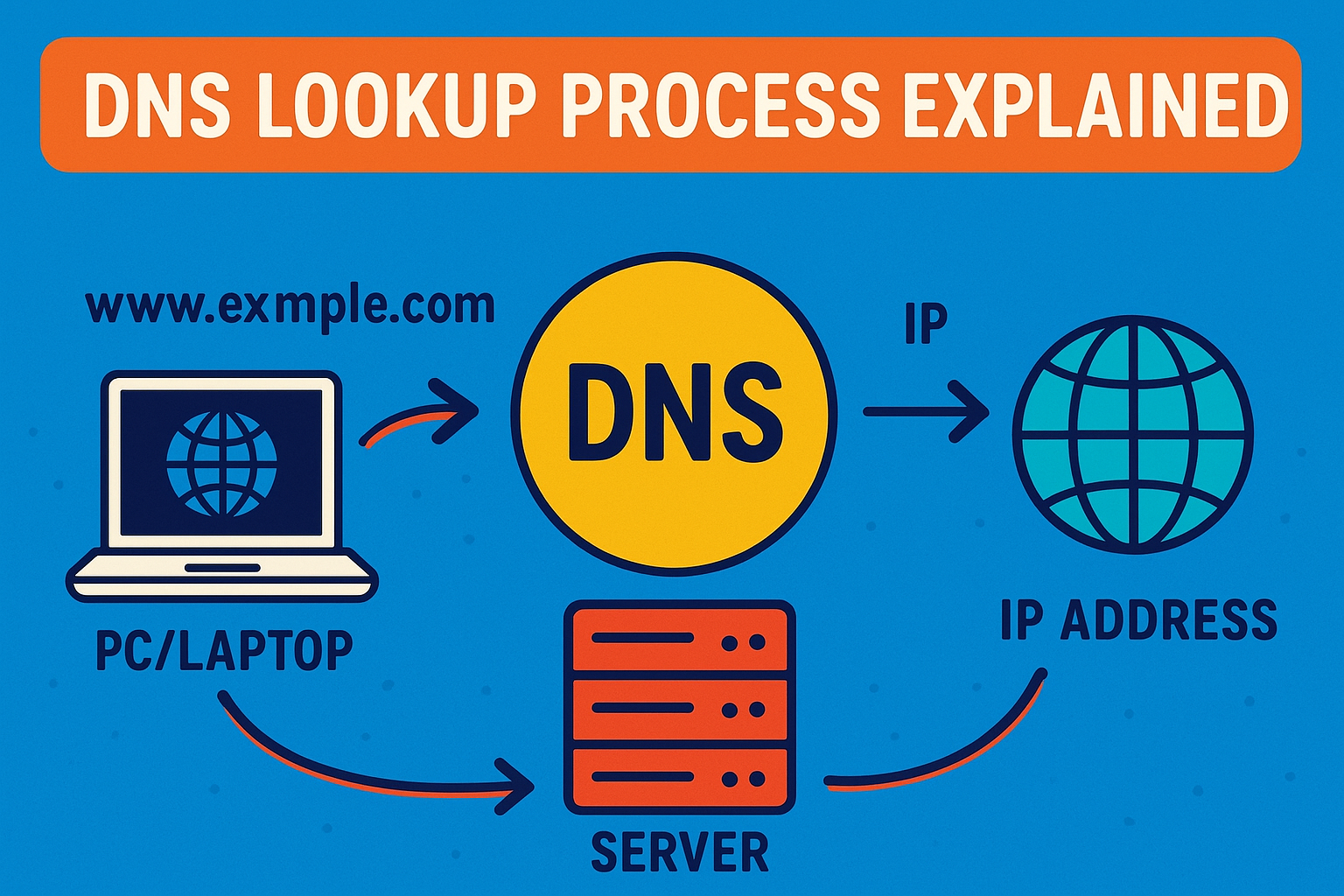
Have you ever wondered what happens behind the scenes when you type a website address like "facebook.com" into your browser? Within milliseconds, your computer finds the exact server location on the internet, but how?
The answer lies in the DNS lookup process - a fascinating journey that happens every time you visit a website. Let's break down this process in simple terms so you can understand exactly how your computer finds websites on the internet.
In this topic on DNS server, we'll dive deep into the DNS lookup process, explaining each step with clear examples and practical insights.
1. Understanding DNS Query Types
Before diving into the lookup process itself, it's important to understand that there are different types of DNS queries. Each serves a specific purpose in the resolution process.
Recursive Query
In a recursive query, the DNS client (your computer) asks the DNS resolver (provided by your ISP or a public DNS service) to do all the work of finding the IP address.
You're essentially saying:
"Hey, I need the IP address for this domain name. Please figure it out for me and come back with an answer."
The resolver then takes full responsibility for traversing the DNS hierarchy until it finds the answer or determines that the domain doesn't exist.
Iterative Query
In an iterative query, each DNS server in the chain provides the best information it has, but doesn't do the complete lookup for you.
Think of this like asking for directions in a city.
Non-Recursive Query
A non-recursive query occurs when a DNS server already has the information cached. Since it already knows the answer, it can respond immediately.
This is the fastest type of DNS query.
2. Comprehensive DNS Lookup Path
Now let's walk through the complete DNS lookup process step by step. This is what happens every time you visit a website:
Step 1: Browser Cache Check
Modern browsers maintain a small DNS cache.
If the domain is found here with a valid TTL, the lookup ends immediately.
Step 2: Operating System Cache Check
If the browser cache doesn't have the information, your computer checks the operating system's DNS cache.
ipconfig /displaydns
Step 3: Client → Resolver
When you type a URL like "youtube.com", your computer sends a request to your configured DNS resolver.
Step 4: Resolver Cache Check
Professional DNS resolvers maintain large caches. If the domain is cached, it returns the answer instantly.
Step 5: Resolver → Root Server
If not cached, the resolver queries one of the 13 root server clusters (A–M).
Step 6: TLD Server Response
Root servers respond with a referral to the correct TLD (.com, .org, .net) nameservers.
Step 7: Authoritative Nameserver Response
The resolver then contacts the authoritative nameserver for youtube.com, which returns the A or AAAA record.
Step 8: Final IP Returned
The resolver stores the IP in cache and returns it to your device.
3. Detailed Visual Flow Explanation
Your Computer → DNS Resolver → Root Servers → .com TLD Servers → Google's Nameservers → DNS Resolver → Your Computer
Imagine this as a relay race where each participant passes the baton to the next.
Understanding the Hierarchy
- Root Level: 13 root server clusters
- TLD Level: Servers for .com, .org, .net, country codes
- Authoritative Level: Servers that hold domain records
4. Advanced DNS Lookup Concepts
DNS Caching Layers
- Browser Cache
- OS Cache
- Resolver Cache
- Router/Hardware Cache
TTL (Time To Live) Values
High TTL: Better performance
Low TTL: More current data
Anycast Routing
Many DNS services use anycast, routing your request to the nearest server.
5. Practical Hands-On Examples
Example Lookup Using dig
dig youtube.com
Windows Example Using nslookup
nslookup youtube.com
Trace Full Path
dig +trace youtube.com
Example Logs Analysis
Query: youtube.com
Cache check: MISS
Contacting root server: 198.41.0.4
Received referral to .com TLD servers
Contacting .com TLD server: 192.5.6.30
Received referral to authoritative servers
Contacting google.com nameserver: 216.239.32.10
Received A record: 142.250.191.14
Returning result to client
Cache timeout set: 300 seconds
6. DNS Lookup Performance Factors
- Network Latency
- Server Load
- Cache Hit Rate
- Query Type
- Protocol Overhead
7. Why DNS Resolution Matters for DevOps
Performance Optimization
Slow DNS increases page load time.
Troubleshooting
DNS issues are common causes of website errors.
Security
DNS is a major attack vector.
Infrastructure Planning
Large organizations may run internal DNS.
Monitoring and Analytics
DNS logs reveal critical performance and security insights.
8. Common DNS Lookup Issues and Solutions
DNS Cache Pollution
Clear DNS cache regularly.
Slow Resolution Times
Use faster DNS resolvers.
NXDOMAIN Errors
Returned when a domain does not exist.
SERVFAIL Errors
Indicates server-side DNS issues.
9. Future of DNS Lookups
- DNS over HTTPS (DoH)
- DNS over TLS (DoT)
- DNS Flag Day improvements
- Increased IPv6 usage
10. Summary & Key Takeaways
- DNS lookups involve multiple servers working together
- Caching improves performance at every layer
- DNS hierarchy ensures scalability
- DNS performance affects user experience
- DNS knowledge is essential for troubleshooting and security